Download Option Documents for Offline Signing
Generate your option grants letters using Cake's templates, then send them via your preferred method rather than through the platform.
Download Option Grant Documents
Create your option offer and save it as a draft
Click on the offer from your offer list to open the offer details
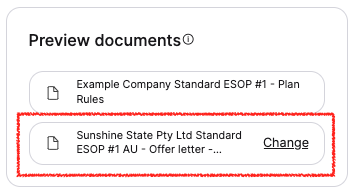
Find Preview documents on the right-hand side of the page
Click on the offer letter to open the preview
Hover over the preview and click Download in the top right corner
Close the preview by clicking the ╳ in the top right corner
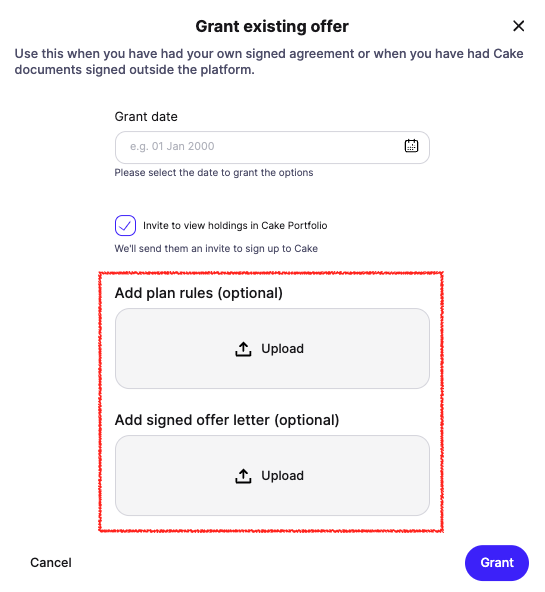
After your employee signs the document offline, click Issue grant on the offer from your list. Enter the grant date and upload the signed agreement to complete the process without sending for signing through Cake.