
Add vesting to founder shares
You can attach a vesting schedule to ordinary or founder shares at the point of issuance — useful for co-founder arrangements where shares should vest over time rather than be held outright from day one.
This is different from vesting on option grants, RSAs or RSUs, which are managed through your incentive plan. Share vesting is applied directly during issuance and tracked on the cap table.
Add vesting at issuance
Go to Cap Table → Outstanding shares and click Add → Issue shares.
Fill in the shareholder and share details — share class, number of shares, and issue price.
Check the Apply vesting to shares toggle to expand the vesting settings.
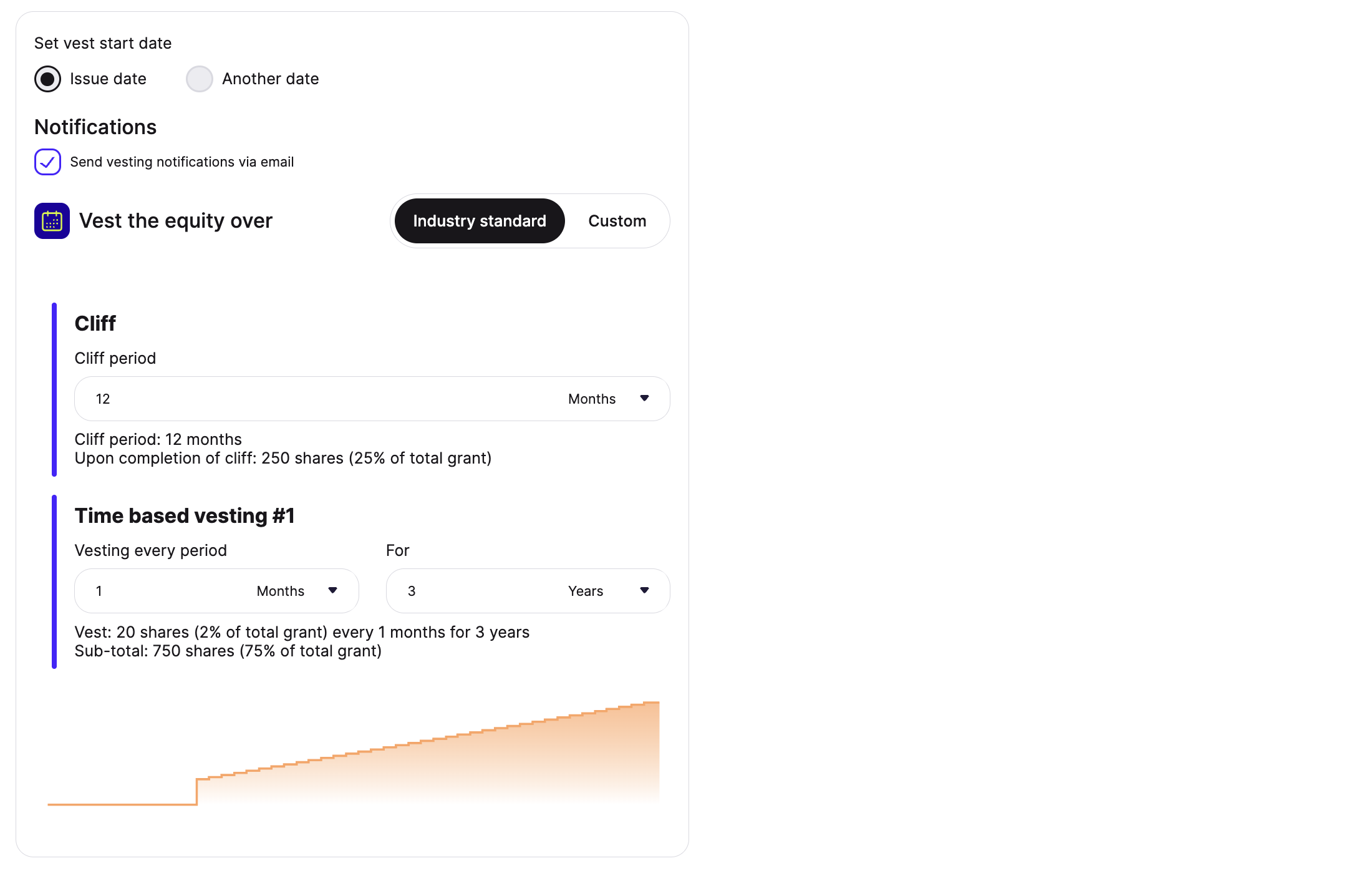
Set your vest start date:
Issue date — vesting begins on the date the shares are issued
Another date — set a custom start date (useful if vesting should be backdated)
Choose your schedule type under Vest the equity over:
Industry standard — configure a cliff period and time-based vesting intervals (e.g. 12-month cliff, then monthly over 3 years)
Custom — build a schedule manually
(Optional) Check Send vesting notifications via email if you want the shareholder notified as shares vest.
Review the vesting summary and chart, then complete the issuance.
The shareholder will appear on your cap table with vested and unvested shares tracked separately, updating automatically over time. To see vested amounts on your cap table, go to Cap Table → Outstanding shares, click Columns, and turn on the vested shares column for the relevant share class.
Can vesting be added after shares have already been issued?
Vesting can't be applied retroactively to shares that have already been issued. If you need to correct this, delete the original transaction from the transaction logs and reissue the shares with the vesting schedule applied from the correct start date.