
Export your ESS statement report
If you've issued shares, rights or options under an employee share scheme (ESS) in Australia, you have annual reporting obligations: an ESS statement to each eligible employee by 14 July, and an ESS annual report to the ATO by 14 August. Cake's ESS statement report exports the issuance data you'll need to prepare the reporting to the ATO.
The ESS statement report is available on the Pro plan for Australian companies (AU only).
Export the report
Go to Compliance → Reporting and open the ESS statement report tab.
Select the financial year you're reporting on from the dropdown.
Click Export.
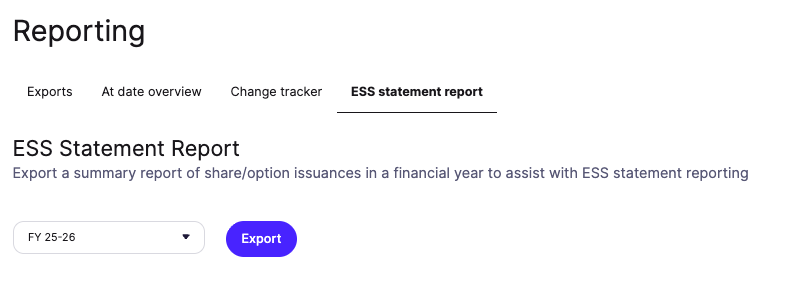
Your report downloads as a CSV.
What's in the report
The export lists every share, option, and RSU issuance in the selected financial year, with a row per issuance:
Recipient details — full name and address
Shares — number acquired, market value, acquisition price, and acquisition date
Options — number acquired, market value of shares on the date the options were acquired, exercise price per option, and acquisition date
RSUs — number acquired, market value of shares on the date the RSUs were acquired, and acquisition date
Plan ID — the plan or pool each issuance came from
Preparing your statements and annual report
Cake doesn't generate the employee statements or the ATO annual report themselves – the export gives you the underlying data to prepare them, and your accountant can help with the formats the ATO requires. For who needs a statement and how to lodge, see the .